Smart Menu Operations

Restaurant Menu Management Software Built for Multi-Unit Groups

collage of happy people in restaurants
Smart Menu Operations

Restaurant Menu Management Software Built for Multi-Unit Groups

Managing menus across multiple locations means coordinating designers, operators, vendors, and systems — often all at once. MustHaveMenus consolidates that entire workflow into one platform, so updates happen in hours instead of days, brand consistency is enforced automatically, and your marketing team stops being a bottleneck.

Serving
Restaurants • Bars & Nightclubs • Hotels • Senior Living • Dispensaries • and more!

Jose Andres Group logo
29 locations
Vidacann logo
28 locations
Morrison living logo
14 locations
Experience senior living logo
19 locations
Artisan logo
4 locations
Tavern on the Wharf logo
5 locations
Merrill Gardens logo
13 locations
Jose Andres Group logo
29 locations
Vidacann logo
28 locations
Morrison living logo
14 locations
Experience senior living logo
19 locations
Artisan logo
4 locations
Tavern on the Wharf logo
5 locations
Merrill Gardens logo
13 locations

Time Required to Update Menus

Streamline Operations, Create Consistency

Restaurants turn to MustHaveMenus for marketing because we help eliminate the time waste and hassle of switching between multiple 3rd party apps.

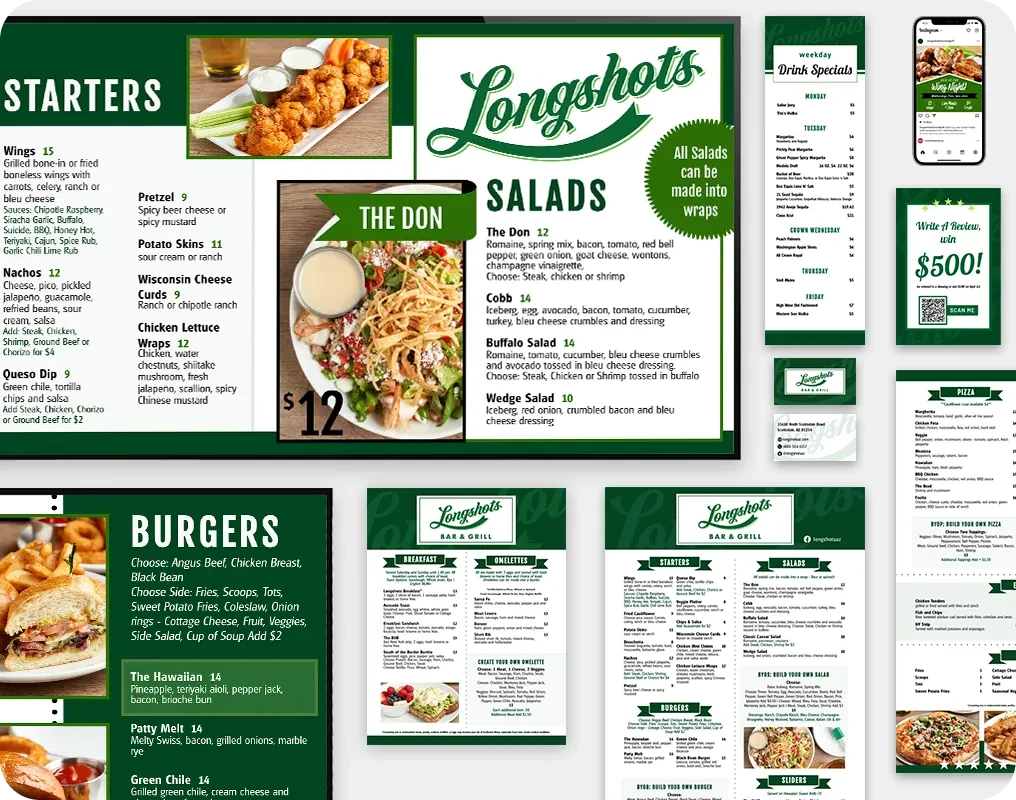
Collage of different digital and print products

MustHaveMenus offers the best of all worlds:

  • Handle menu data better than any other design app
  • Flow POS data directly into designs and digital signage
  • Manage users and permissions
  • Manage digital signage
  • Offer 25k+ templates, professional printing and web menus
  • Includes professional printing, QR codes, and web links

Our service is backed by friendly menu experts, who are ready to answer your questions, offer design services, and get you up and running quickly.

Book a Demo

Enterprise-Class Features

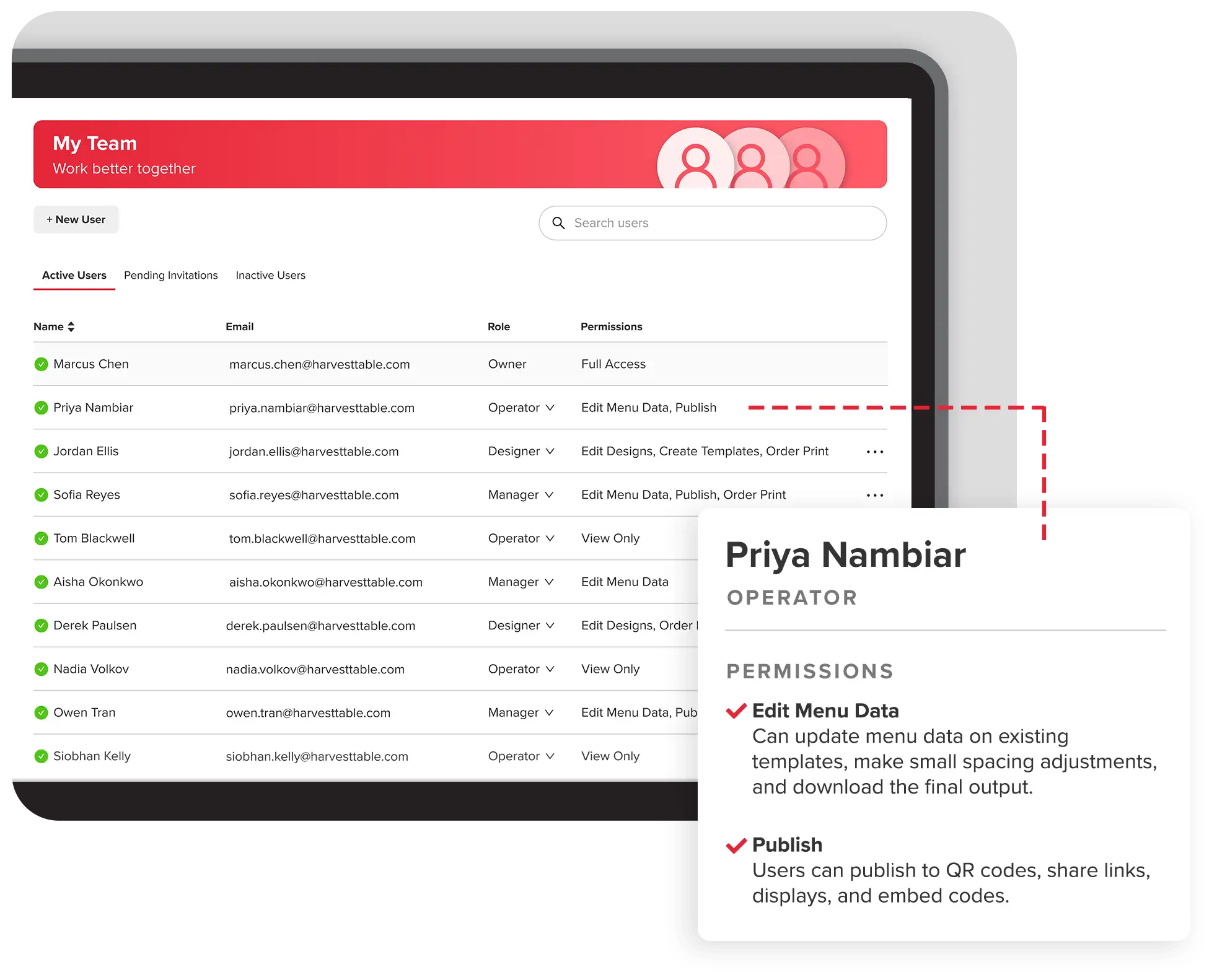
Screenshot of team permissions page

Setup Locations and Teams

Control how menus get made. Assign team members to specific locations in a way that mirrors your organization and how you want to work. Use folders in those locations to organize further.

Permissions: Control with Confidence

Maintain control over your menus. Assign roles and manage access levels to ensure only authorized personnel Can edit, download or start new designs.

  • Protect brand and data
  • Maintain team responsibilities
  • Manage locally or centrally
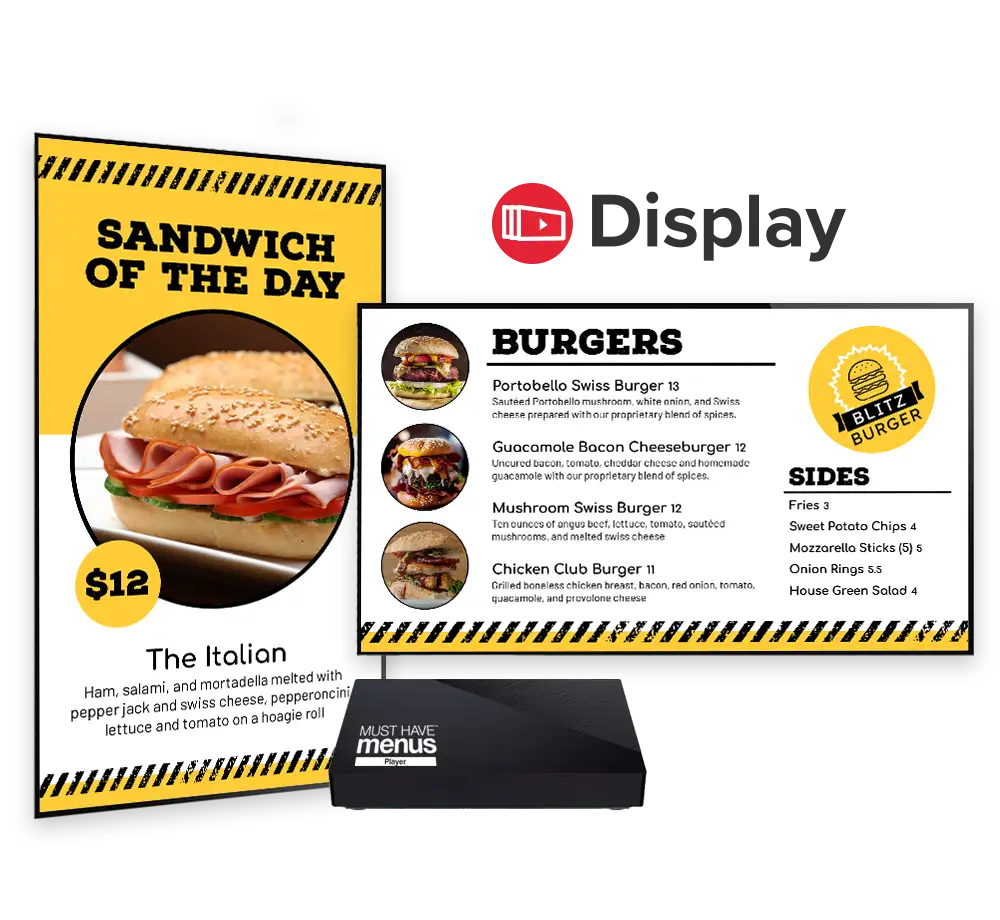
Display device and digital menu boards

Digital Signage: Management Flexibility

See all of your digital menu boards across all locations from a single dashboard. Provide your team members with location-level access for updating.

  • Get a bird's-eye view of screens
  • Ensure brand consistency
  • Publish directly to screens
  • Keep everything up-to-date
Book a Demo
Screenshot of brand configuration page

Brand Guides for Consistency

Set up visual branding guidelines that apply across all locations, ensuring every menu reflects your brand's style.
Keep a cohesive look that customers recognize and trust.

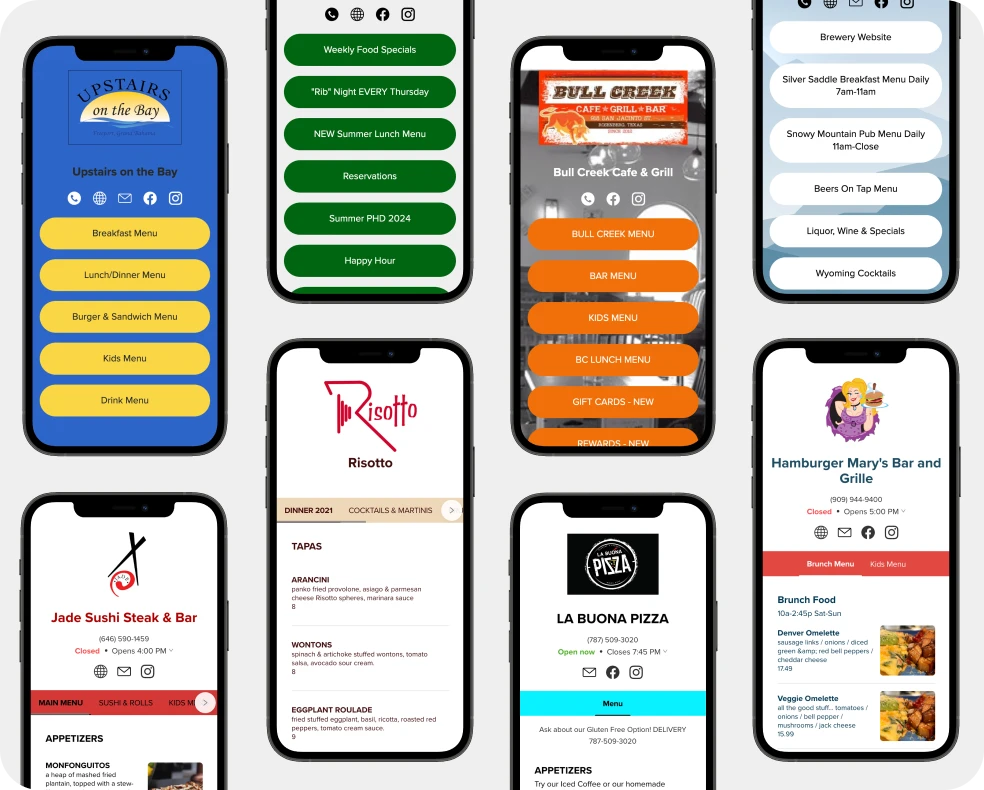
Collage of phones showing link pages

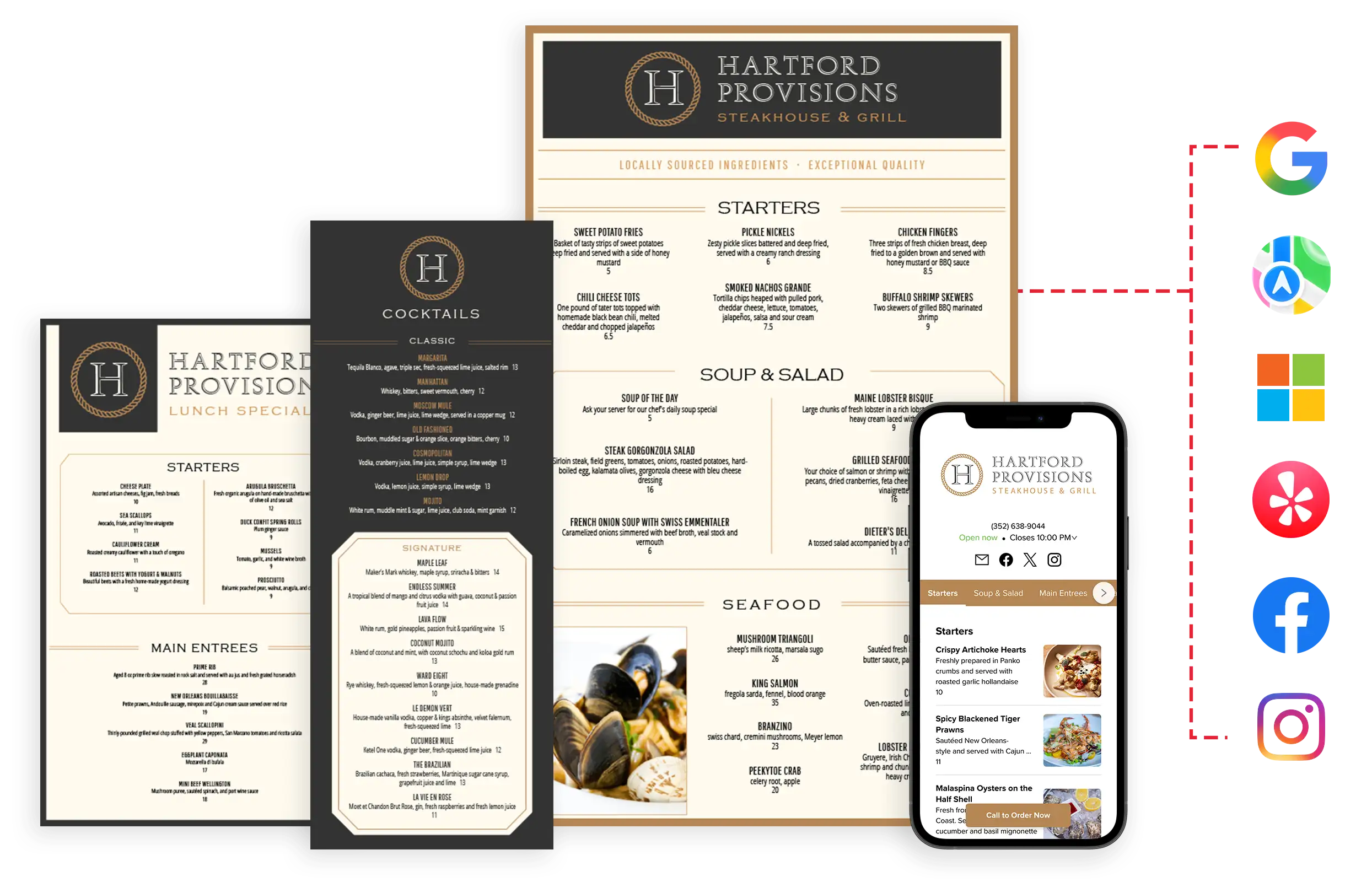
Digital Marketing: QR Codes, Link Pages, and Online Menus

Generate unique links, codes and menus for each location. Let your team guide announcements, social posts, and promotions to ensure the best local customer experience.

  • Dynamic QR codes with analytics
  • Branded mobile-friendly landing pages
  • Mobile-optimized menus
  • Embed menus on your website

Customer Stories

See how multi-unit operators use MustHaveMenus to cut update time, reduce costs, and scale menu operations without scaling their teams.

60–70%
reduction in update time
30+
hours saved per week
$100k+
saved annually
Read case study >
85%
faster menu updates
25x
ROI
$100k+
reclaimed in annual waste
Read case study >
300
hours time saved per year
$30k
annual savings
Same-day
menu turnaround
Read case study >

Frequently Asked Questions

What is restaurant menu management software?

Restaurant menu management software centralizes menu creation, updates, and distribution across all locations and channels — print, digital signage, web, and QR codes — from a single platform. It eliminates the need to re-key changes across multiple vendor systems and ensures brand consistency at scale.

How does menu management software help multi-unit restaurant groups?

For multi-unit groups, menu management software replaces fragmented workflows — email chains, PDF versions, separate vendor logins — with a single source of truth. Local operators can make approved updates without going through corporate marketing, while brand guidelines are enforced automatically.

How is MustHaveMenus different from a POS system?

POS systems manage transactions and orders. MustHaveMenus manages the menu itself — design, brand consistency, multi-location distribution, print, digital signage, and web listings. MustHaveMenus can pull data directly from your POS and push it into designed menus and signage automatically.

How quickly can menu updates be made across all locations?

Most MustHaveMenus customers achieve same-day execution for menu updates across all locations. Groups that previously managed menus across multiple vendors and email chains typically see update times drop by 60–70% after consolidating onto a single platform.